 Fuglebræt
The old phone becomes the bird table’s camera.
Stand the iPhone from the drawer on the windowsill by its charger and put some food just outside. Every bird that lands is caught: the sharpest photo, a three-second clip, and the family gives it a name.
- No hardware to buy
- No subscription
- Nothing leaves the phone
Start with what’s in the house
The app coaches any setup until the birds are sharp. Buying something or printing a stand is optional.
1 · Just the phone
Lean it on books or a mug, camera against the glass, a dark tea towel over it, the charger in. Seeds on a saucer or half an apple 30–50 cm outside.
2 · Buy a little
A suction phone mount inside and a small feeder on the sill or a branch. Feeders stuck to the glass sit too close for the phone to focus, and the app says so.
3 · Print it
Makers get a window kit made for their exact iPhone: a cradle with a light hood against the glass, a foot for the sill and a feeder with the perch at the right distance.
A live check before you leave it
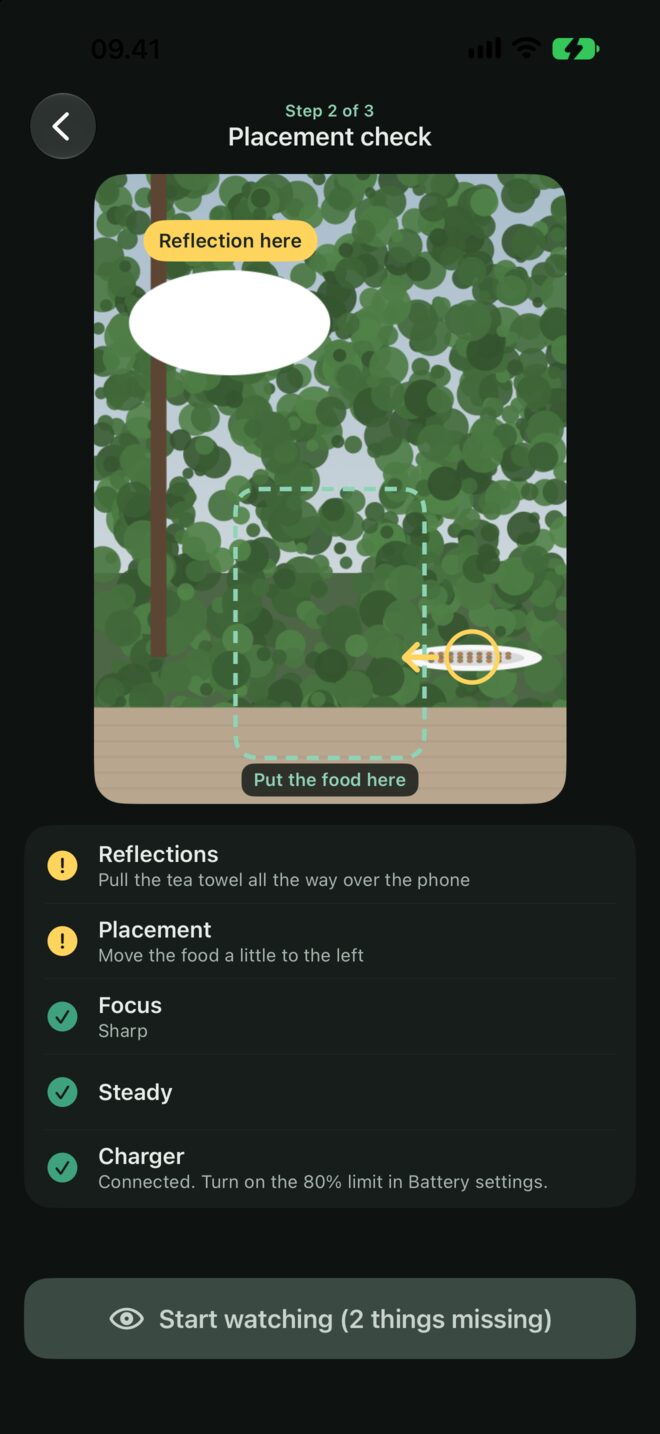
Tap the food in the picture, and the app checks five things on the phone. Start the watch when everything is green, or start anyway.
- Reflectionsfinds bright glare in the glass and tells you to pull the towel down
- Placementdraws where the food should go and which way to move it
- Focusmeasures sharpness on the food, and warns when it’s closer than 20 cm
- Steadythe motion sensor notices if the phone slides or tips
- Powercharger in, and on iPhone 15 or later a reminder about the 80% limit
The watch
A black screen at the lowest brightness that never locks. A tap shows today’s count for ten seconds, then it goes dark again.
The sharpest photo and a clip
When a bird lands, Fuglebræt keeps the sharpest frame of the visit and the first three seconds as a video.
People are thrown away
The camera looks out at the garden and the street. A visit with a person in the picture is deleted on the spot, before anything is saved.
Who was it?
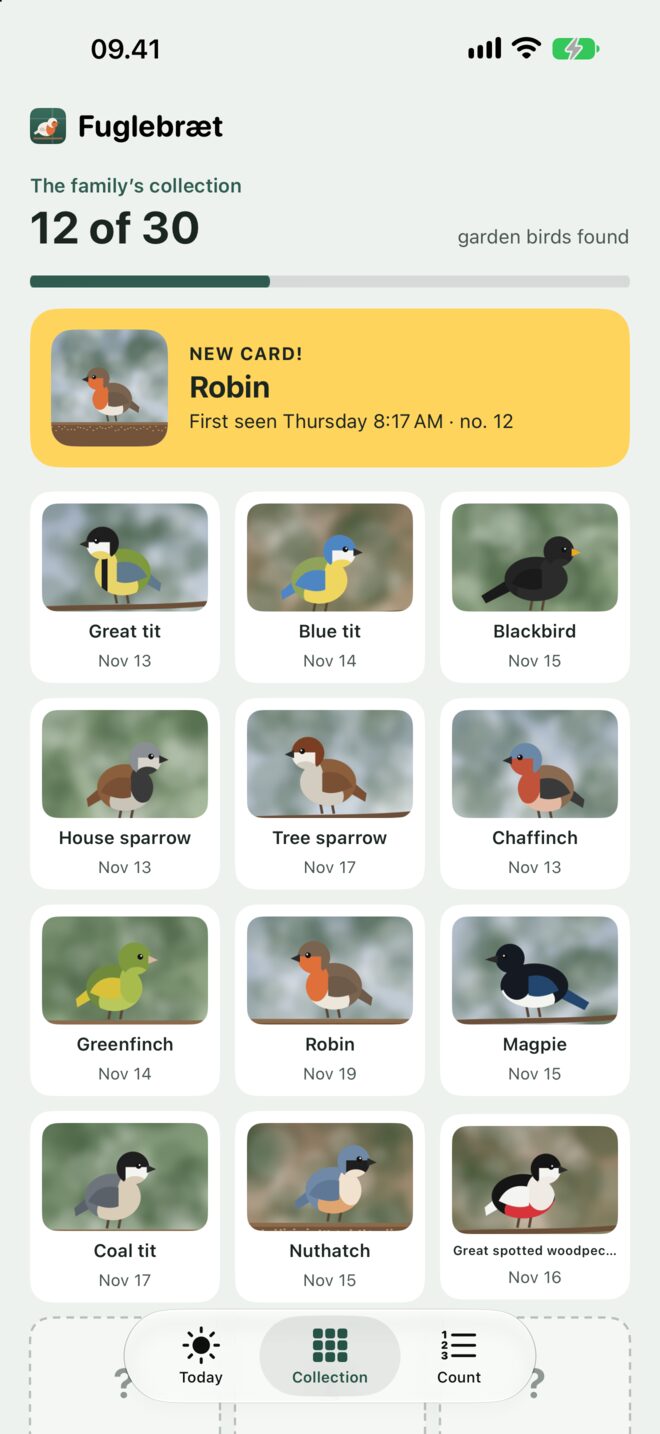
Name each visit from a picture guide of 30 common garden birds, or type your own name for it. Every species becomes a card in the family’s collection.
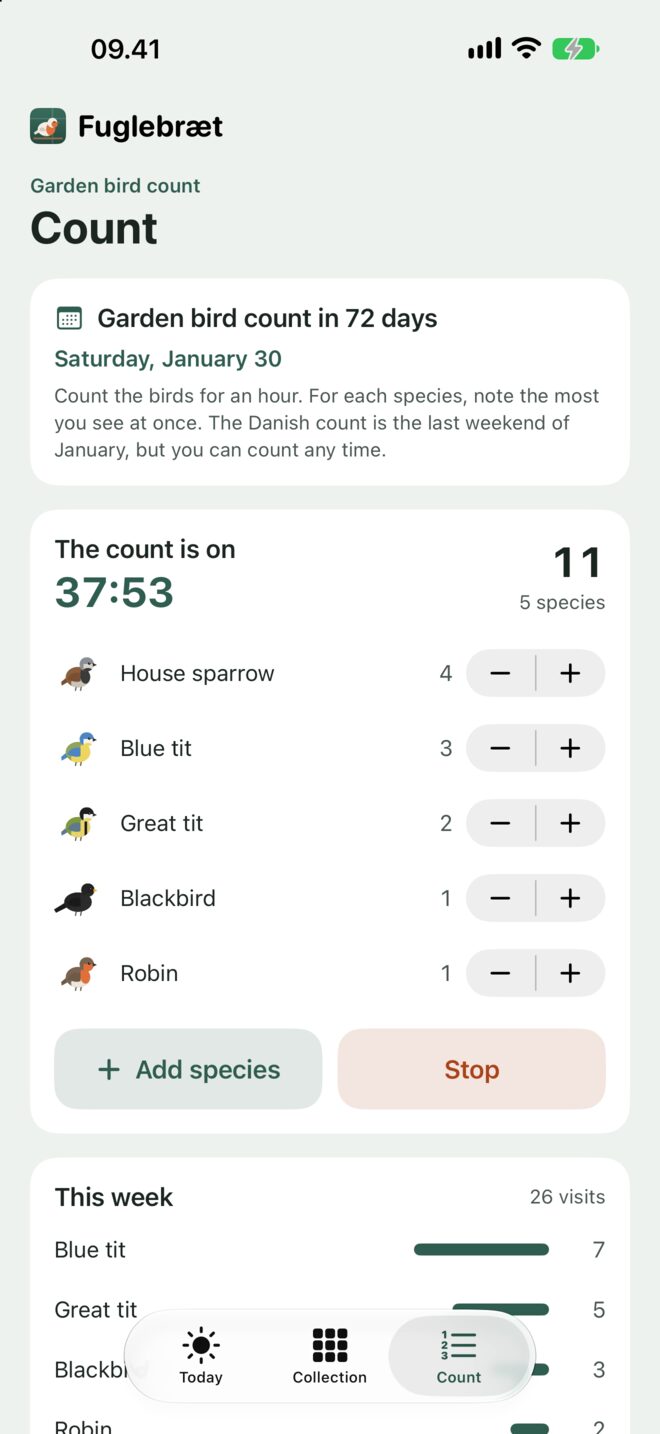
Garden bird count
Count for an hour: the most of each species seen at once. A countdown to the last weekend of January, and a result to share.
Kind to the phone
It sleeps from sunset to sunrise, looks less often when the phone runs warm and pauses if it gets hot. The phone stays inside, warm and charging.
Who came today?
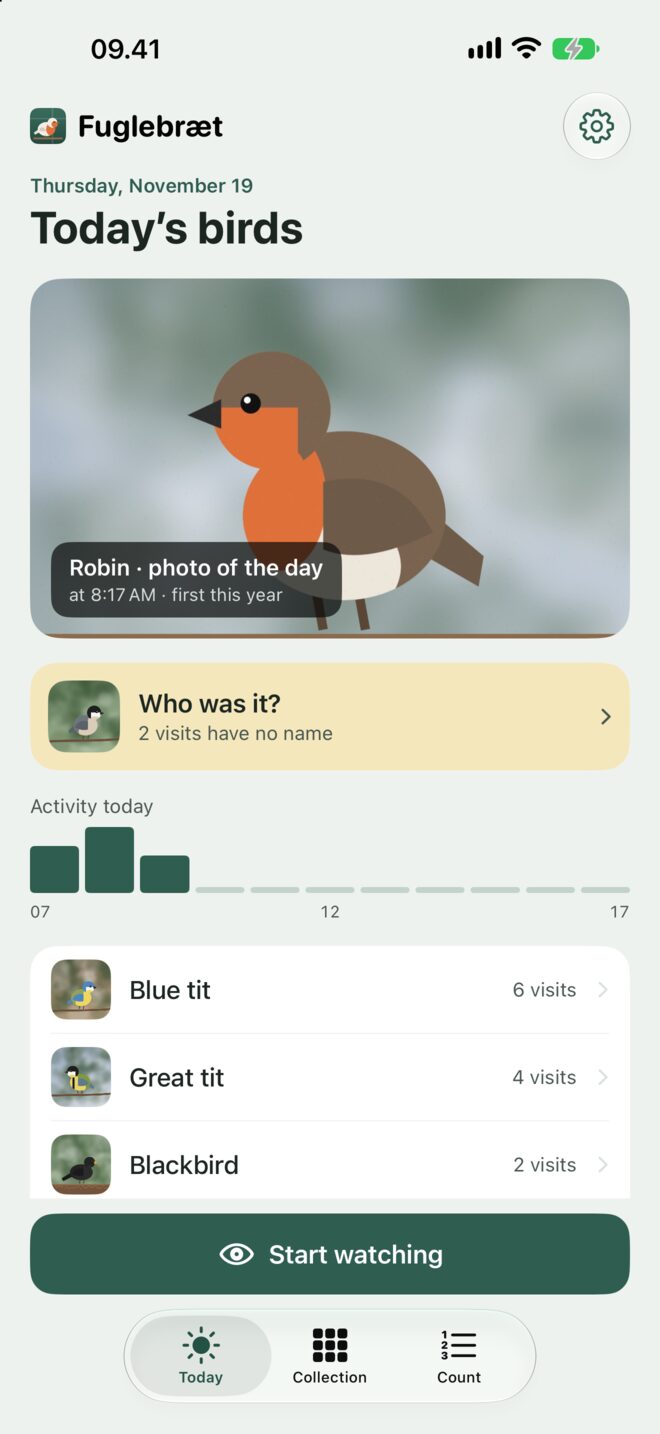
For makers: a stand made for your iPhone
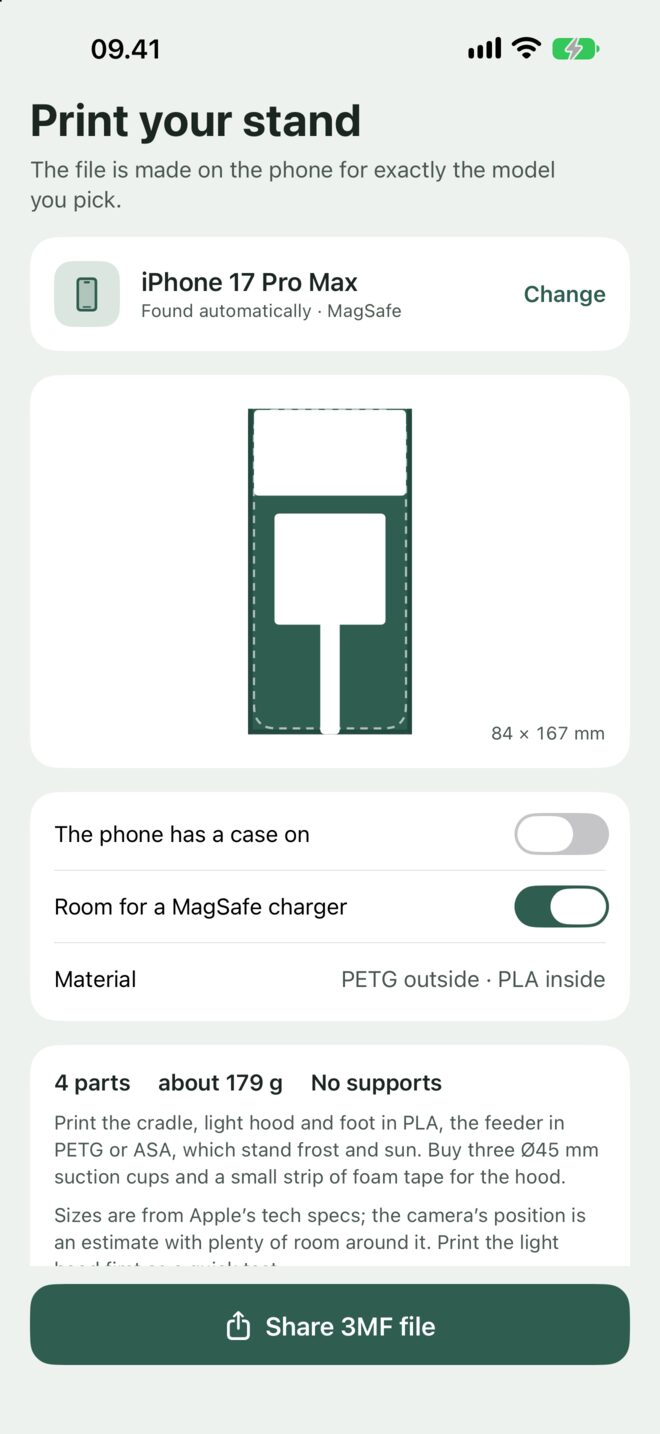
The app knows which iPhone it runs on and makes the Vindue kit for it, on the phone, as a 3MF file for your slicer or a print shop.
- A cradle with the camera window where your model has its camera
- A light hood that seals against the glass, so there are no reflections
- Room for a MagSafe charger behind the phone, or a cable notch
- A feeder for three Ø45 mm suction cups with the perch where every iPhone focuses
Why the phone stays inside
An iPhone is made for 0–35 °C and stops charging in frost, and winter is when birds come to feeders. Behind the glass it stays warm and on its charger, and a dark towel or the printed light hood takes care of the reflections. Photos through a window are softer than from a camera bolted to a feeder, so the app helps you get the food close and in focus.
It looks out of your window, so nothing leaves the phone.
Fuglebræt decides what’s a bird on the iPhone, with no server. Photos and clips stay in the app, frames with people are deleted at once, and the sun times come from the time zone, not your location.
- No account
- No cloud
- No tracking
- Works offline
A bird feeder camera shouldn’t need a new feeder and a subscription.
Fuglebræt costs $1.99, once. You bring the old iPhone and some bird food.
That’s all it ever costs. The setup coach, the watch, the collection, the count, the print kit and every future update are included, and so are the extra app icons. If something’s wrong, you write straight to Peter, who made it.
Questions
Does Fuglebræt tell me which bird it is?
It knows when a bird has landed, and it keeps the photo and the clip. You name the bird from a picture guide of 30 common garden birds, or type your own name. Naming them together is half the fun, and it’s how the collection and the count fill up.
Which iPhones work?
Any iPhone that runs iOS 17 or later, from the iPhone XS and XR on. An old one with a tired battery is perfect, since it lives on the charger.
Do I need to buy or print anything?
No. A few books, a dark tea towel and a saucer of seeds are enough, and the placement check helps you get it right. A suction mount or the printed kit just makes it neater.
Won’t the phone get too hot or too cold?
It stays inside, where it’s warm. Fuglebræt sleeps at night, checks less often when the phone runs warm and pauses if it gets hot. On iPhone 15 and later, turn on the 80% charge limit.
What happens if someone walks past?
Any visit with a person in the picture is deleted on the spot, before anything is saved. The camera is there for the birds.
Is anything uploaded?
Never. There’s no account, no cloud and no analytics. If you sign up for Peter’s newsletter in Settings, your email address is sent for that, and nothing else.